- DATE:
- AUTHOR:
- The Avidon Health team

A Little Less Friction, All Around
This release is a handful of quieter improvements, each aimed at cutting out a small piece of friction somewhere in the platform: a floating editor that keeps admins in context while completing flows and assessments; drill-down support on Tracker Report distribution charts for range-type questions; a skip-rows setting that clears a manual step out of file uploads; a redesigned My Profile section that's easier for members to navigate; and August's Autopilot Challenge, Time & Space, built around finding room to breathe as fall closes in. Together, these updates smooth out the everyday parts of running and using the platform for admins, coaches, and members.
Flows & Assessments: No More Closing Out to Check Something
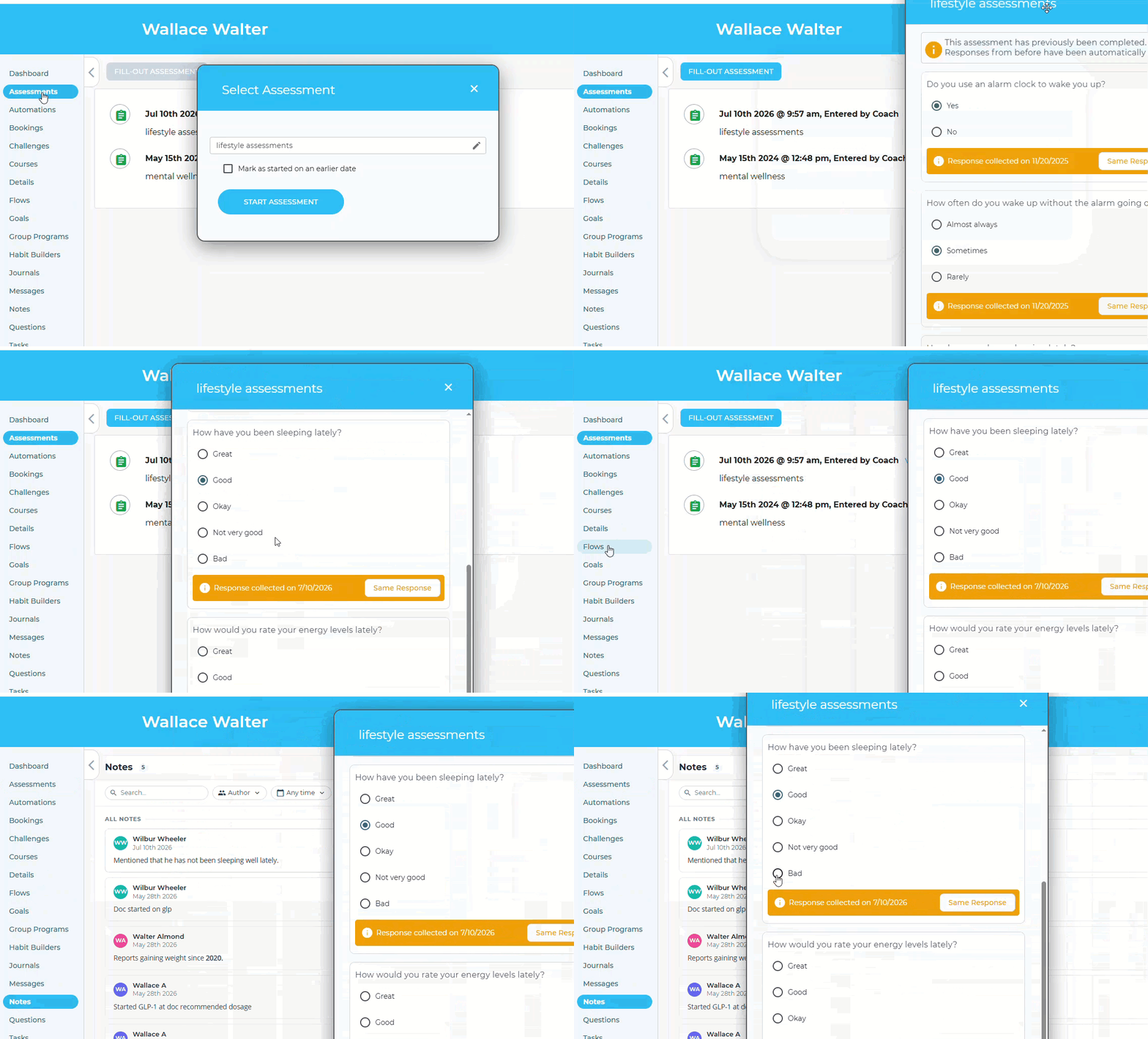
Filling out a flow or assessment for a member often means needing something else mid-way: a past response, a program enrollment, a note from a prior call. Flows and assessments now open in a floating box that stays put while you work; the rest of Member Admin, tabs, menus, everything, stays fully clickable behind it. Drag the box aside for a better look, and it picks right back up where you left off. Same behavior whether you're adding new responses or editing existing ones.
Why It Matters
No more losing your place—pull up account history, enrollments, or prior answers without closing the flow to do it.
Fewer lost responses—closing and reopening to check something was the exact moment fields got skipped or work disappeared; one view removes that risk.
Tracker Distribution Charts, Now Clickable
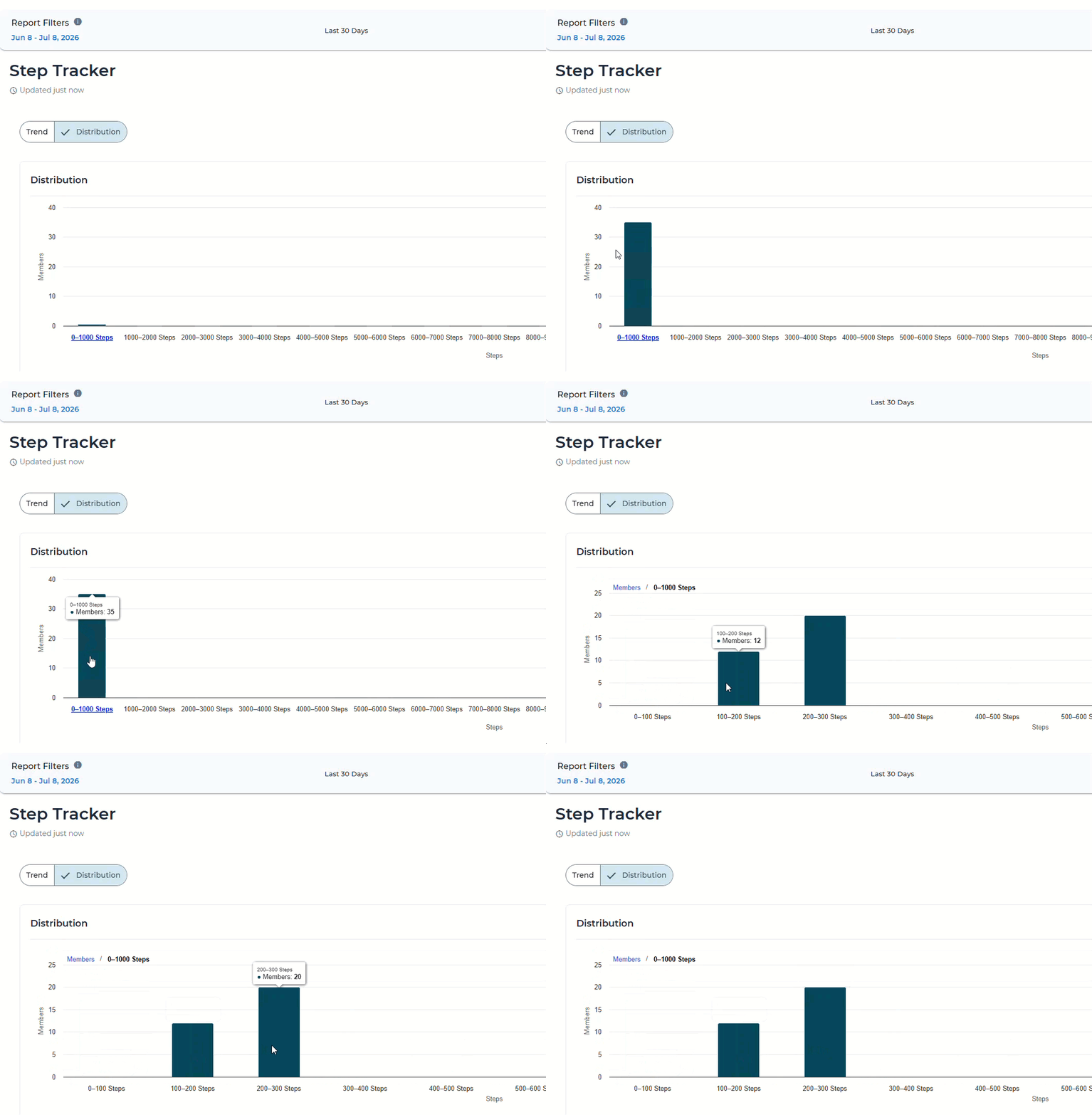
In Tracker Report → Tracker Details, the Distribution chart for range-type questions buckets responses into ranges (0–1,000 steps, 1,000–2,000, and so on). Clicking any bar now drills into that bucket, breaking it into finer groups, turning what used to be a dead end into a deeper dive.
Why It Matters
More detail without leaving the chart—narrow in on a bucket to see a finer breakdown, no export or separate report required.
Easier to spot where the story is—a bucket that stands out becomes something you can explore instead of a flat end point.
Skip Rows: One Setting, No More Manual Cleanup
What's Changing
Uploading a member file with a stray row or two above your headers used to mean opening it in Excel first to delete them. Now you can just tell Avidon how many rows to skip; set it to 2, and the system skips those rows, finds your headers, and processes the rest normally. Leave it unset and nothing changes: the default is zero, so every existing upload keeps working exactly as it does today. The setting covers both eligibility file uploads and the broader data processing system, so however your files reach Avidon, this applies.
Why It Matters
Your files work as-is—no more pre-processing in Excel just to delete a header row before uploading.
Fewer failed uploads—one less manual step means one less place for a mistake to creep in.
Small fix, real relief: for teams whose files are already clean, nothing changes; for everyone else, one annoying step disappears.
My Profile, Reorganized for Easier Navigation
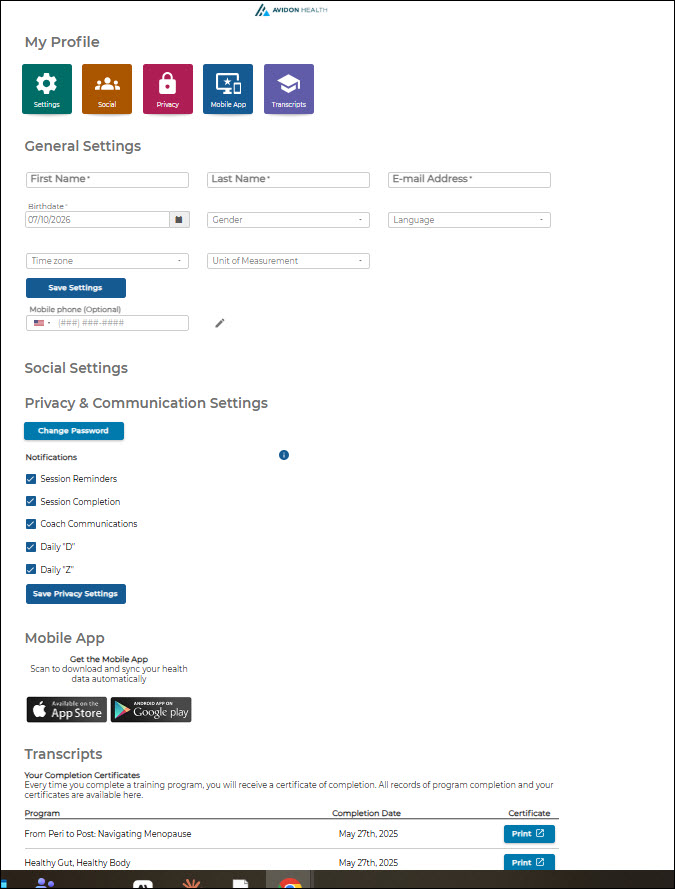
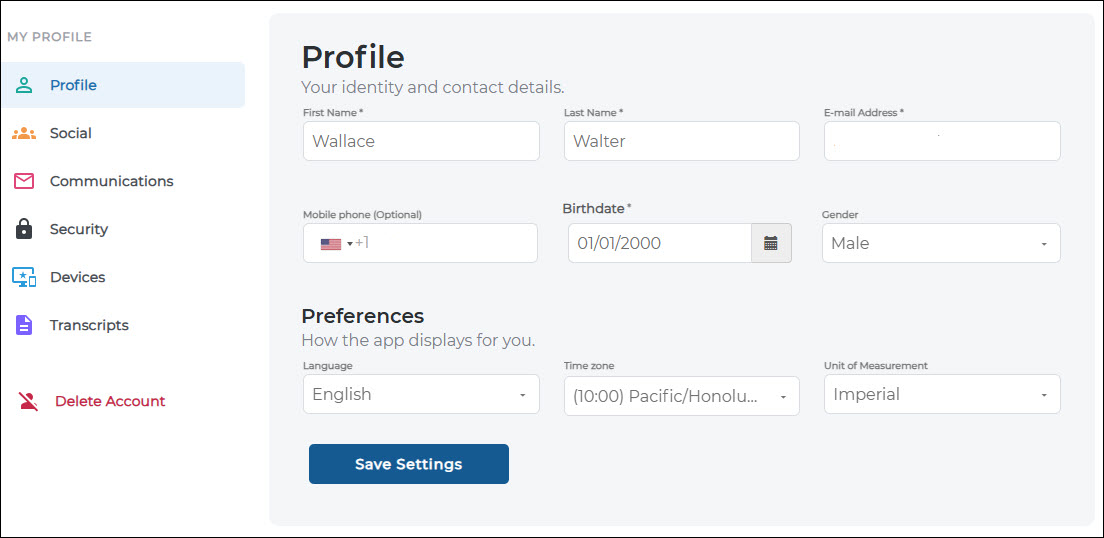
In the member portal, My Profile used to be one long scroll, jump-to icons up top, then every section stacked underneath, one after another. Now it's a left-hand menu: Profile, Social, Communications, Security, Devices, and Transcripts each get their own page, with a short description under the header so it's clear what lives there.
Old My Profile
New My Profile
Why It Matters
Faster to find what you need—jump straight to the section you're after instead of scrolling past everything else first.
Less confusion, fewer questions—a focused, single-section view is easier to scan than a long, stacked page.
New Autopilot Challenge Qued Up for August: Time & Space
Registration opens July 27; the Challenge runs two weeks starting August 3.
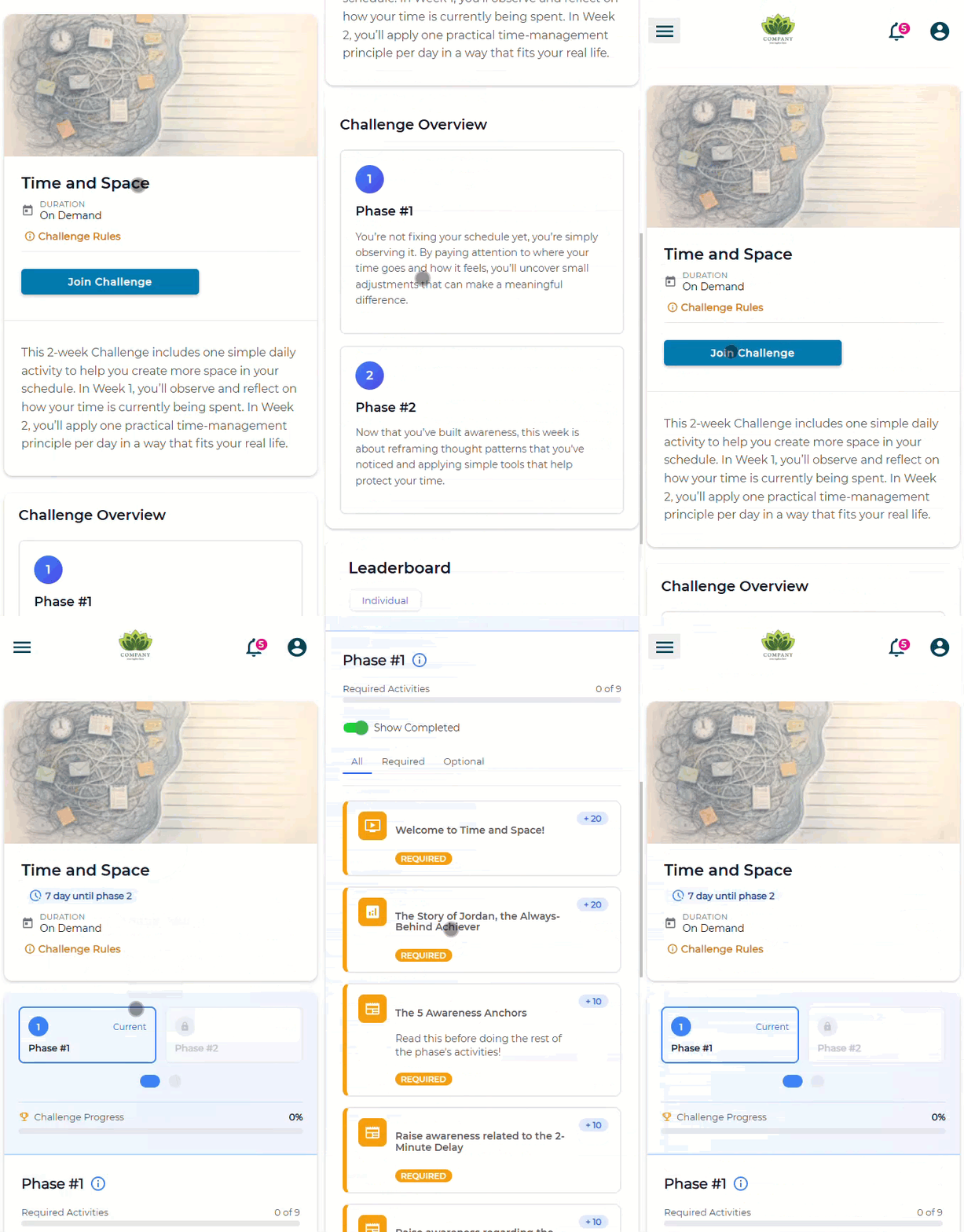
As summer winds down and fall routines start quietly pressing in, Time & Space helps participants find breathing room in their day without adding more to it. Week 1 is pure observation: noticing where time actually goes, what's creating friction, and what background self-talk is driving the choices. Week 2 brings the tools: one evidence-based time management principle a day, paired with a thought reframe and a small real-world experiment. The goal isn't doing more; it's choosing where the time goes.
Communication is Key
Read the full article in the Product Communication Center, where you can also submit your thoughts and ideas.
If you want to learn more about Avidon Health, please visit our website. Want to reach out to our team of experts? Click here for our helpdesk.