- DATE:
- AUTHOR:
- The Avidon Health team
- RELATED ROADMAP ITEMS:
- Unified Site-Wide Content Search
New Conditional Logic for Flows & Automations
With this release, Flow and Automation conditional logic picks up more precise targeting options, including a new condition based on booking history, and a handful of API and reporting updates make it easier to filter, search, and pull exactly the flow-related data you need.
Enhanced Condition Logic in Flows, Automations, and Recommendations
What's New
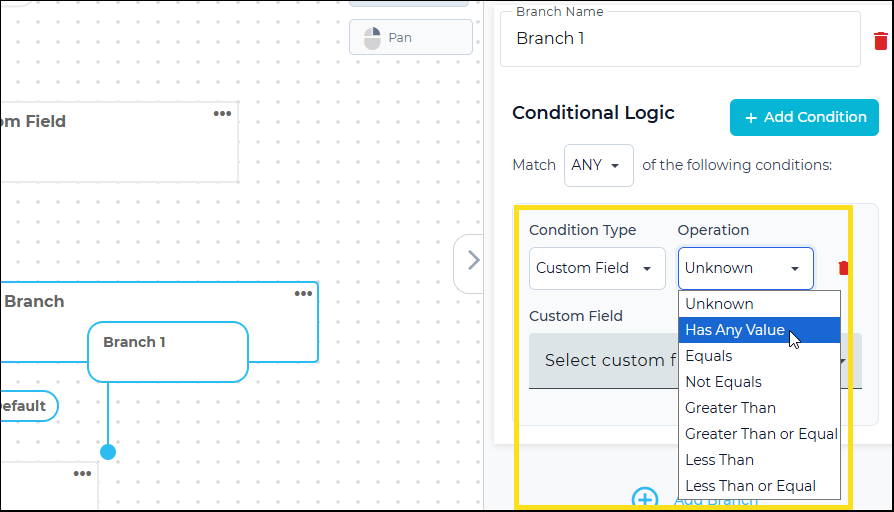
Custom Field conditions now support a new operator, Has Any Value. Paired with the existing Unknown operator (no value at all), you can branch a Flow based on whether a custom field has been filled in, regardless of what's actually in it.
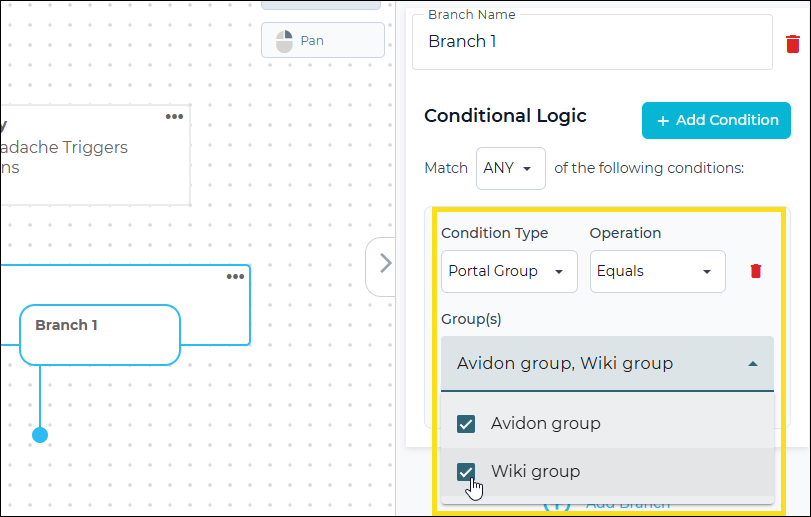
Portal Group conditions now accept multiple groups instead of just one, so a single condition can include or exclude several groups at once instead of stacking them.
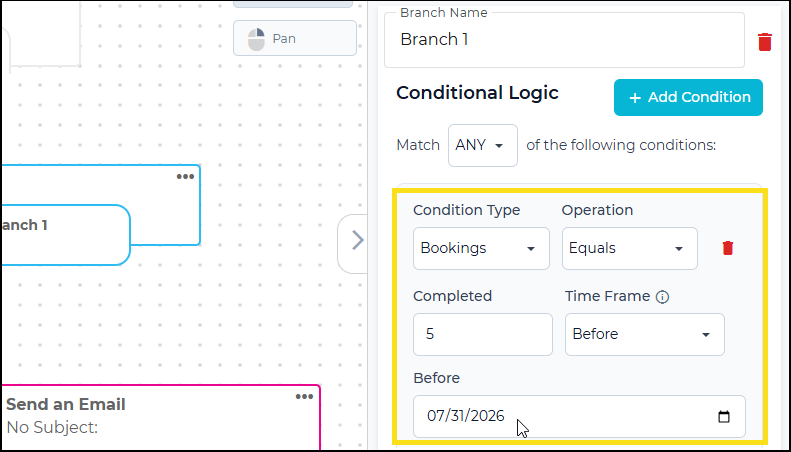
There's also a new "Bookings" condition type that lets you branch on session count (None, Equals, Not Equals, Greater Than, Greater Than or Equal, Less Than, Less Than or Equal) combined with a date range (All, Before, After, or Between specific start and end dates).
Why It Matters, in a Nutshell
Presence, not value—Branch on whether a custom field has any answer at all; useful for catching members who skipped a profile step, no matter what they'd have entered.
One condition instead of several—Multi-select Portal Groups means targeting multiple groups doesn't require stacking conditions.
Bookings as a signal—Route members by how many sessions they've booked and when, making it easy to catch someone who's gone quiet or reward someone who's engaged.
Also in this Release
Flow API: More Query Options
The flow list and flow response API endpoints now support keyword filtering—match any or all—plus new filters on flow responses (FlowId, MemberId, Source) and offset-based pagination alongside the existing Limit parameter. If your team pulls Flow data via API, you can now request exactly the slice you need instead of filtering it after the fact.
Flow Webhooks Include Keywords
Flow events will now include the keywords associated with the Flows allowing clients to better identify events received via WebHooks or the client API site. For FlowStarted and FlowCompleted events, two new properties are being added to the eventData object: Keywords (the public keywords configured for a Flow) and InternalKeywords (the private keywords configured for a Flow).
Content Usage Report: Filter by Content Type
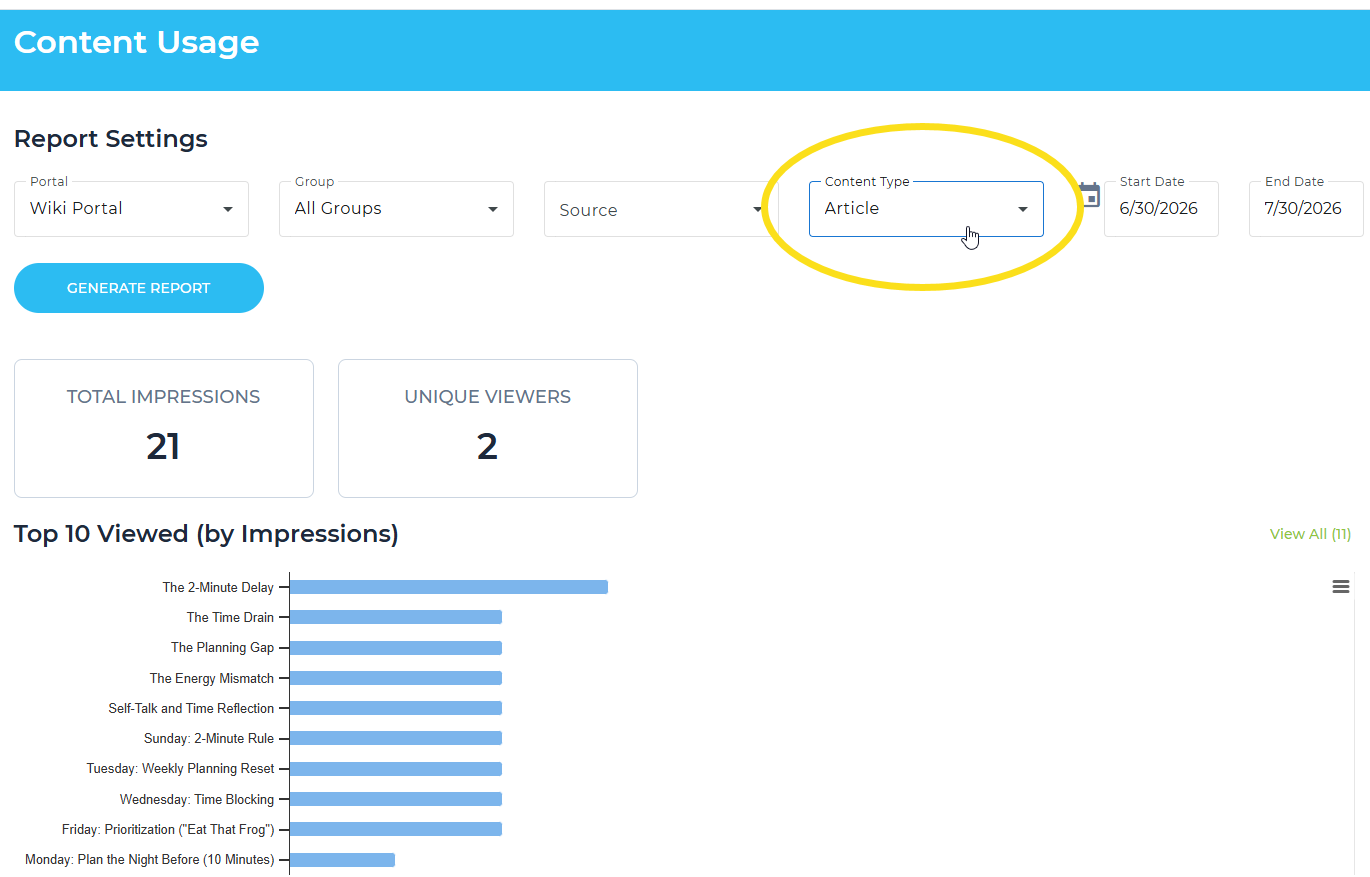
The Content Usage report now includes a multi-select Content Type filter, so you can narrow results to articles, videos, or any combination of content types in a single view. No more scrolling past content you don't need to find what you do.
Communication is Key
Read the full article in the Product Communication Center, where you can also submit your thoughts and ideas.
If you want to learn more about Avidon Health, please visit our website. Want to reach out to our team of experts? Click here for our helpdesk.