- DATE:
- AUTHOR:
- The Avidon Health team

Updates to Wellness Visions, To-Do's, and Messaging
This release, we’re continuing to make Avidon smarter, more intuitive, and better at supporting the ways you and your members work toward lasting behavior change. With more enhancements related to our new keyword system, wellness visions, and automations, it’s now easier than ever to personalize content and communicate clearly.
More Focus and Options for Wellness Visions
We’ve expanded how Wellness Visions can be managed: Members can now have multiple vision statements, each tied to a unique keyword, helping to better reflect their visions related to different areas of wellness. Admins can tag keywords to the Wellness Vision component to attach specific Vision-types to individual Pages.
Here are the details:
Multiple visions per member – Add or edit multiple vision statements in the Member Admin, each tagged with its own keyword.
Simplified keyword management – Choose from a single keyword picker when setting up or editing a vision.
Smarter visibility and display – The Member Wellness Vision component in Page Builder now allows you to display member visions tied to a specific keyword. For instance, a flow related to alcohol consumption might contain a Wellness Vision component tagged with the keyword "alcohol"; the vision entered by the member in the flow could then be set to display on an alcohol-moderation themed page.

Note: For clients who aren't ready to use this functionality yet, the default member homepage and wellness vision tile will continue to show a single vision, without a keyword, just like before.
Organize To-Dos by Keyword
To-Dos can now be assigned and filtered by keyword, giving you more flexibility in how you organize tasks for members and programs.
Add or edit To-Dos in the Member Admin and tag them with keywords for easier organization.
In the Flow Editor and Automations, link To-Dos with specific keywords to better tailor content and follow-up.
Use the new To-Do List component settings in the Page Builder to display any To-Dos that match your chosen keyword.

This makes it easier to build focused, engaging task lists and program experiences that fit members’ individual goals.
Enhanced Message Management and End-User Opt-In/Out Control
We’ve upgraded how Automations handle messaging by adding the option to choose a messaging category, thereby offering end-users greater precision in determining which messages they want to receive by clicking an unsubscribe link and/or by opting in or out from their member profile.
Currently, there are four different categories to choose from when you're creating an automation:
Required—Messages that cannot be categorically opted out of by members.
Coach—Messages from coaches.
Session Completion—Messages that are triggered by the completion of a course session.
Session Reminders—Messages that are triggered by the availability of a course session.

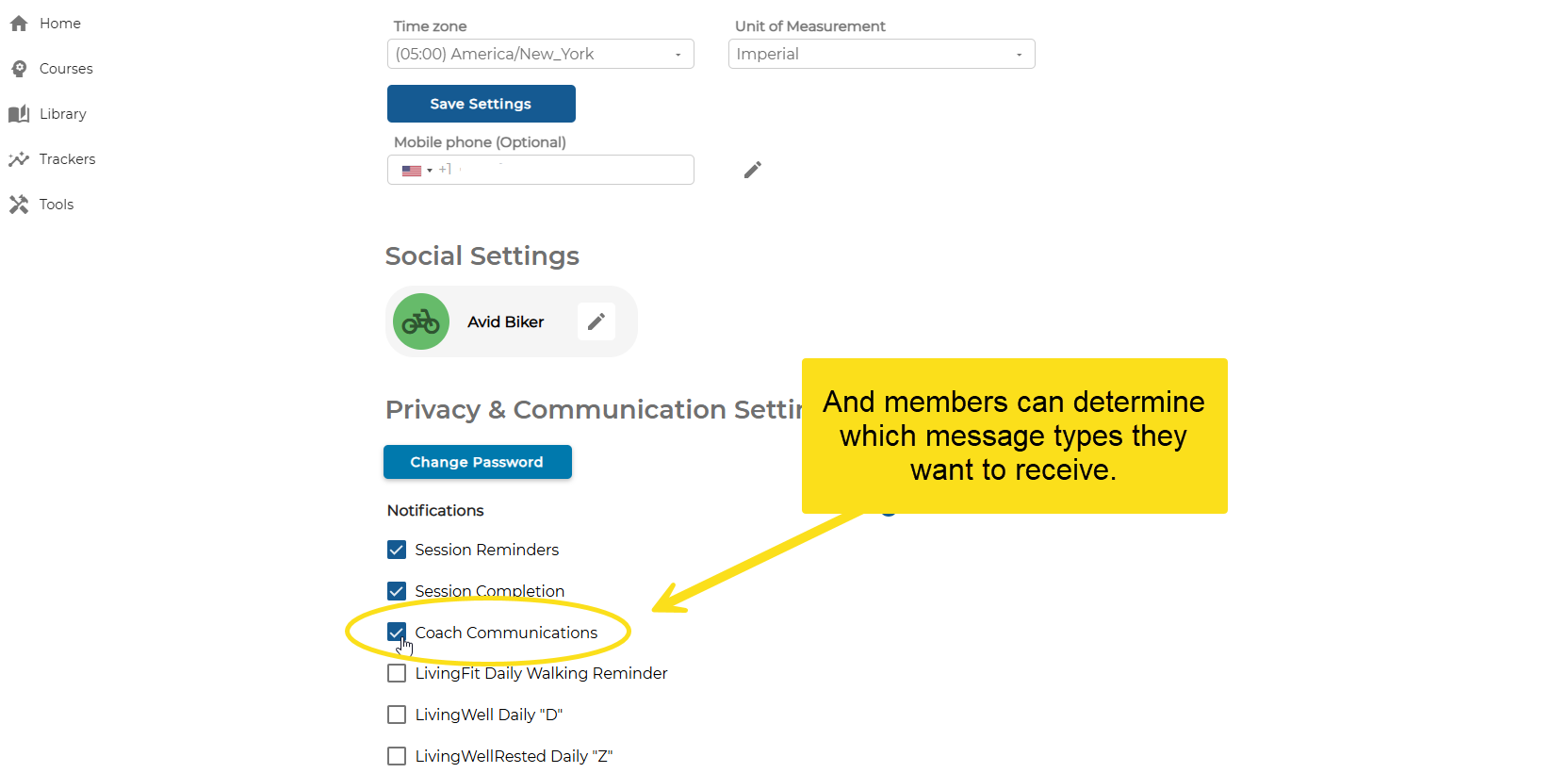
These updates help keep communications transparent, respectful, and easy to manage, both for you and for your members.
Note: We will continue to add categories in upcoming releases.
Communication is Key
Read the full article in the Product Communication Center, where you can also submit your thoughts and ideas.
If you want to learn more about Avidon Health, please visit our website. Want to reach out to our team of experts? Click here for our helpdesk.