- STAGE:
- In Development
- PROJECTED DONE:
All Tabs Accessible When Filling Out Flows/Assessments
When an admin completes a flow or assessment on behalf of a member, they often need to reference other details from that member's account mid-way through—a previous response, a program enrollment, a note from a prior interaction.
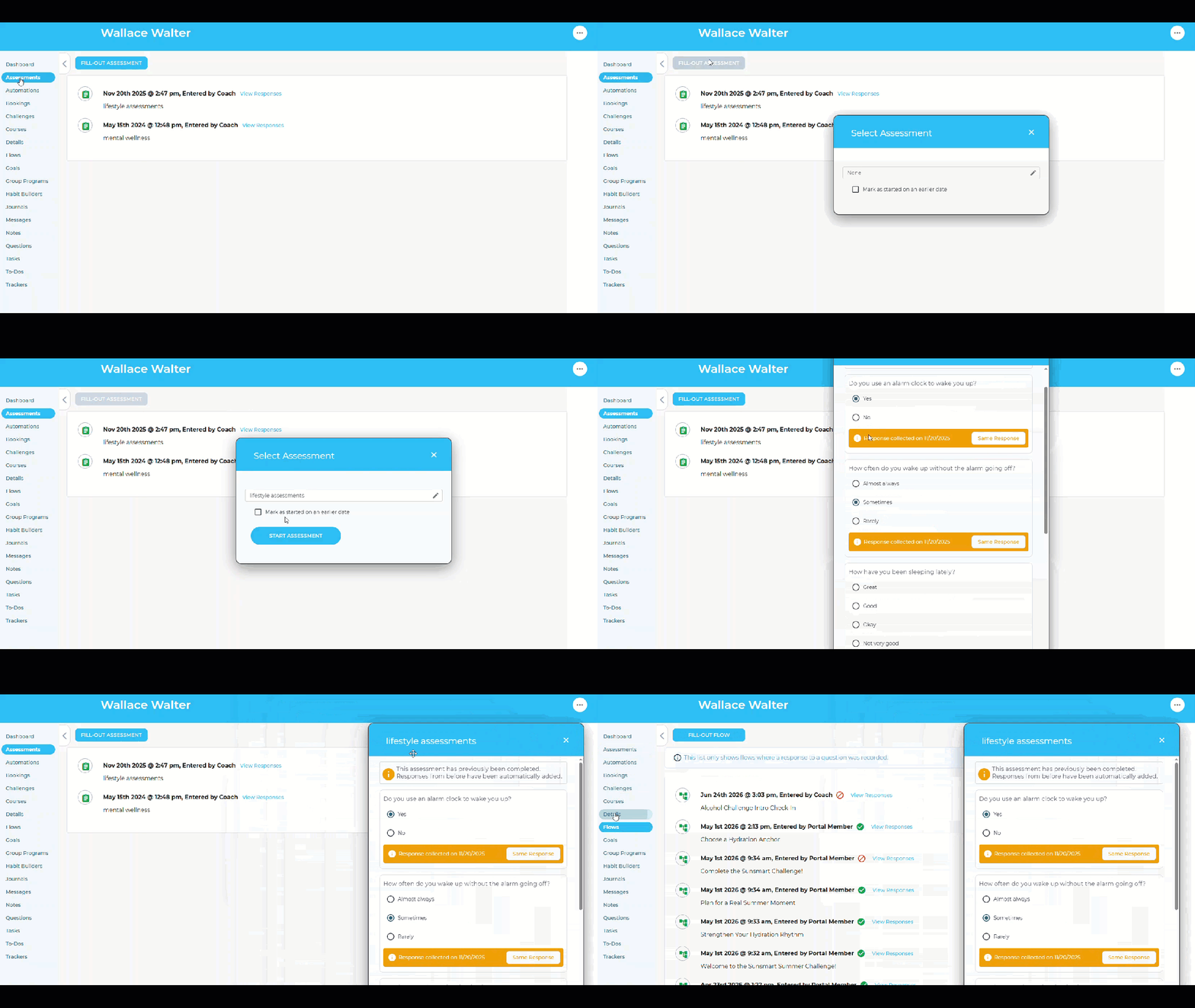
When you open a flow or assessment to complete or edit responses on behalf of a member, it now launches in a floating editor box that stays on screen while you work. You can click through the full member admin behind it—tabs, menus, other account details—without closing anything out. When you need to get a better look at what's behind it, just drag the dialog out of the way.
This applies both when initially adding responses and when editing existing ones.
Why It Matters
For anyone who completes assessments on behalf of members, they can now reference account history, program enrollments, or prior responses without losing their place in the flow.
Admins who had to close and reopen flows to look something up were also more likely to lose responses or skip fields. Keeping everything accessible in one view reduces that risk.