- STAGE:
- In Development
- PROJECTED DONE:
Attributes: The Next Generation of Custom Fields, With Room for 50
Every organization knows things about its members that a standard profile doesn’t cover: a benefit plan, a work location, a program track, a coaching tier. Attributes are the next generation of custom fields, letting clients define that information themselves and put it to work across Avidon with no development work. Where custom fields top out at nine, a portal can now have up to 50 attributes.
What’s Changing
A New Attributes Tab in Member Settings
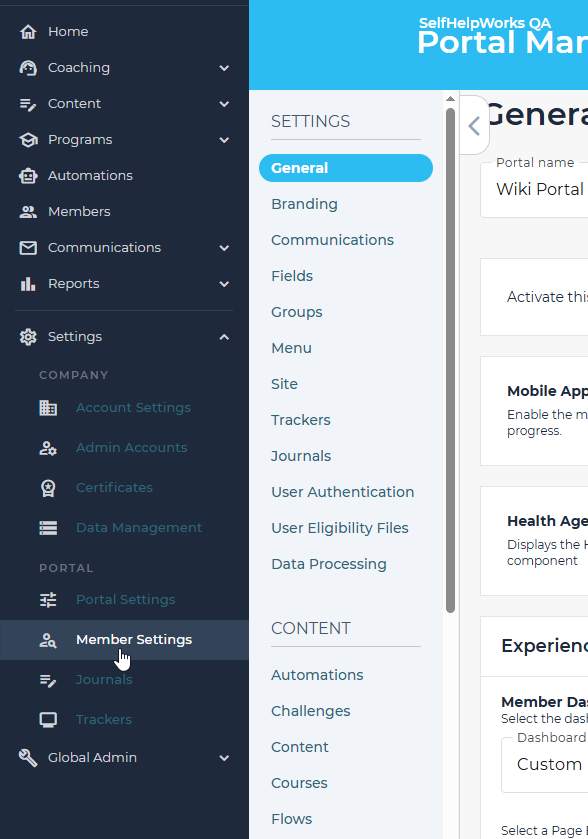
Admins create and manage attributes in one place. For each attribute, an admin can:
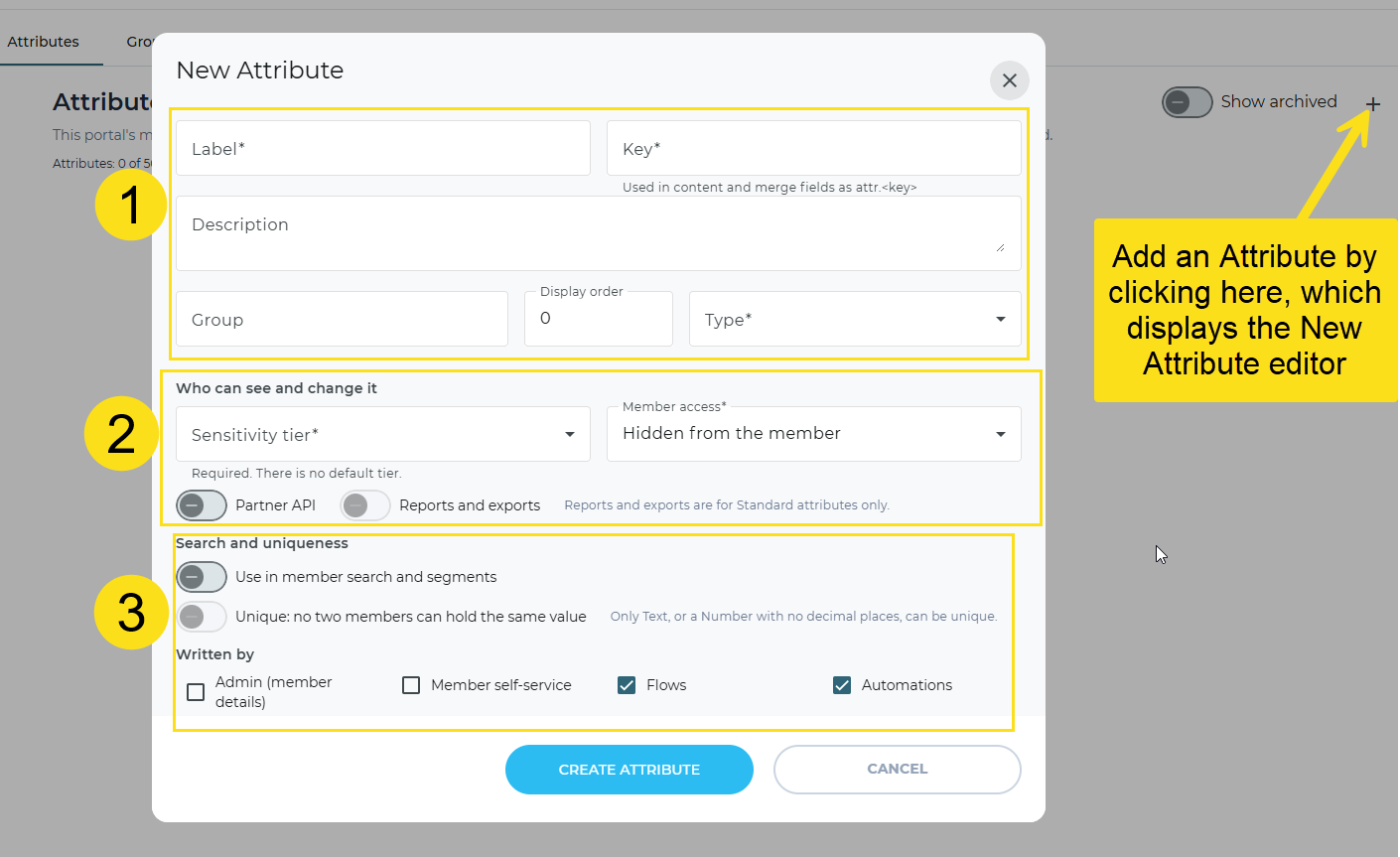
Name and describe it—Add a label, a key (a short name used in content and merge fields), a description, a group, and a display order. Then choose its type: text, long text, number, date, yes/no, single select, or multi select, with rules for each, such as a maximum length, a number range, or a list of choices.
Control who can see and change it—Set a sensitivity tier and member access, and choose whether the attribute is available through the partner API and in reports and exports.
Make it searchable or unique and choose where values come from—Use the attribute in member search and segments, or require that no two members hold the same value, such as an employee number (text and whole-number attributes only). Then choose who can write values: admin member details, member self-service, flows, or automations.
Everything Custom Fields Do Today
Attributes support the uses clients already rely on:
Conditions—Show or hide content, branch flows, and add conditional logic to automations based on a member’s value.
Prompts in flows—Ask members a question in a flow and save the answer to their profile, with the right input for each type.
Filling Attributes from Single Sign-On and Eligibility Files
Values can arrive automatically from the systems clients already send to Avidon. The single sign-on settings and the eligibility file settings each have a new Attribute Mappings section. Admins add a mapping by entering the incoming name (the sign-on attribute or the file column) and choosing which attribute it fills. They can also:
Handle blanks—Choose whether a blank value clears a member’s current value or leaves it in place.
Clean up values—Trim extra spaces and read multiple choices from a single value.
Translate codes—Convert a client’s codes into the attribute’s choices, such as “G1” to “Gold.”
Data processing templates get the same option. A mapping takes effect as soon as it’s saved, at the member’s next sign-in or with the next file. If a value doesn’t fit the attribute, it isn’t saved and the member keeps their current value; the history records what was rejected and why, and file results point to the row and column.
Attributes in Member Details and History
Member details now include an Attributes panel showing the member’s values. Admins with the right access can edit them there. Every change is recorded in the member’s history, with the old value, the new value, and who made the change; changes made by Avidon staff appear as “Avidon staff.”
Privacy Built In
Each attribute is assigned a sensitivity level when it’s created:
Standard—The member and their coaches can see the value, and it can be used in search, segments, and reports.
Restricted—Only the member sees the value, in their own content and messages. No coach or admin does.
Sensitive—No one sees the value, and it never appears in merge fields, reports, or the partner API.
Admins can only see attribute values, search on them, or change them in bulk if they have access to member personal information. Reports and the partner API include an attribute only when the client turns that on for it.
Availability
Attributes is turned on one company at a time. To have it enabled for yours, contact Avidon.
Why It Matters
Room to Grow—Up to 50 attributes per portal, up from nine custom fields, so you can track everything from benefit plans to coaching tiers.
Your Information, Your Way—Track whatever fits your organization, from benefit plans to work locations, without waiting on development.
Content That Fits Each Member—Conditions and flow prompts let members see what applies to their plan, location, or track.
Less Manual Entry—Single sign-on and eligibility files can keep values current automatically.
Privacy You Control—Sensitivity levels and access checks keep each value visible only to the people who should see it.
A Clear Record—Every change shows who made it, when, and what it was before.
Attributes turn what you already know about your members into something every part of Avidon can use.