- STAGE:
- In Development
- PROJECTED DONE:
Member Admin
Bulk Member Deletion Now Available
STAGE:
In Development
PROJECTED DONE:
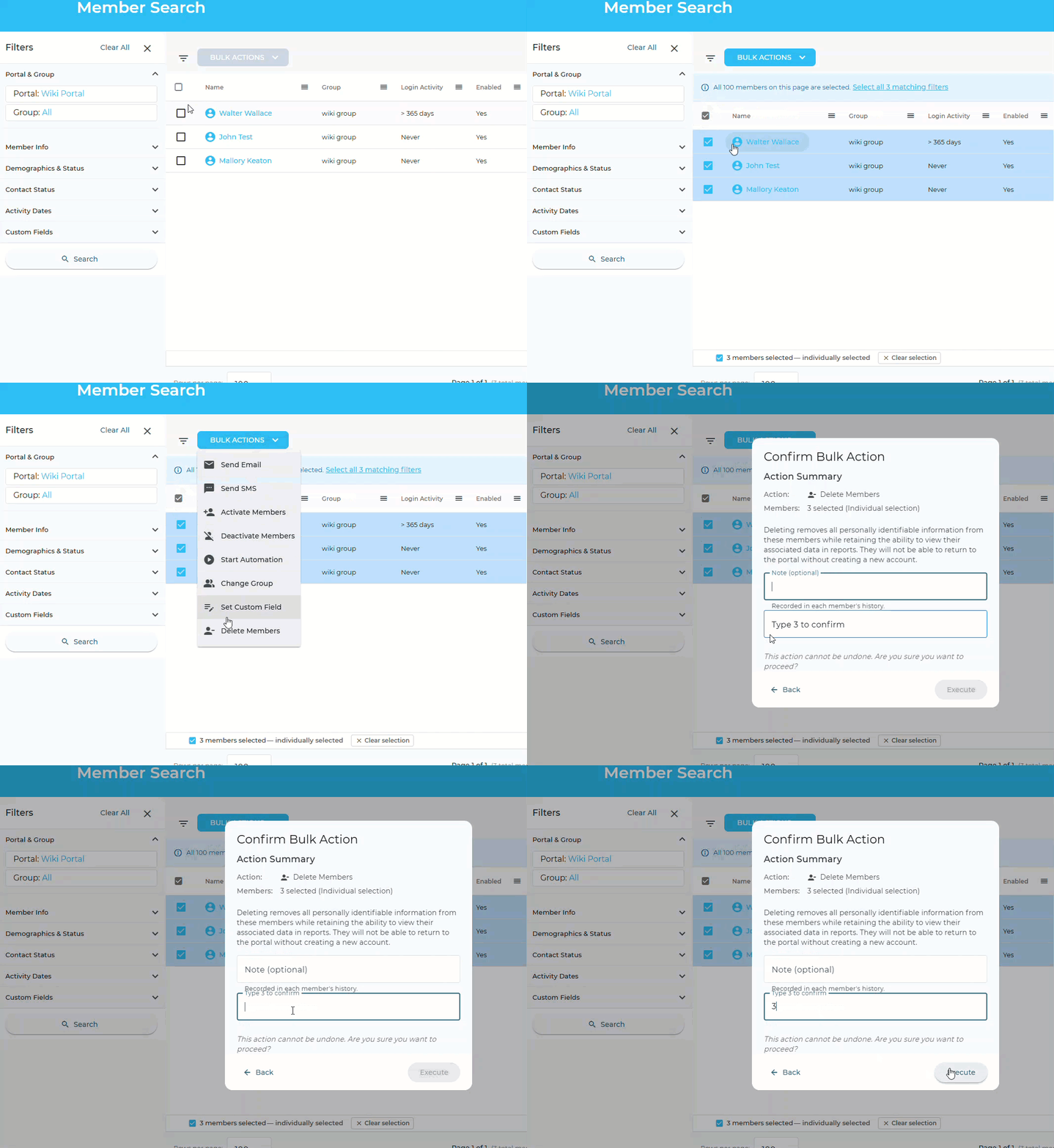
Admins can now delete members in bulk. Select the members you want to remove in member search, choose Delete Members, and the action runs for the whole group at once. To delete an entire group, open Portal Groups, choose View members, and select all.
What’s Changing
Deleting members works the same way it does for a single member, now at scale. Because deletion can’t be undone, admins confirm before the action runs, and it’s limited to admins who can already delete individual members.