- STAGE:
- In Development
- PROJECTED DONE:
New "Course" Activity Type for Program Phases
Program phases--those in Habit Builders, Challenges, and Group Programs--can already hold activities like articles, videos, and trackers. Now they can hold a course, too. Course arrives as an eighth activity type, so admins can drop any course from the portal's library into a phase and have it behave like every other activity: trackable, completable, and reportable, with no separate instructions and no manual follow-up.
What's Changing
1. Course as an Activity Type
"Complete a Course" appears in the activity type list in the program designer. Admins pick from the portal's own course list, including both the calendar-based Living series and the newer self-paced microcourses.
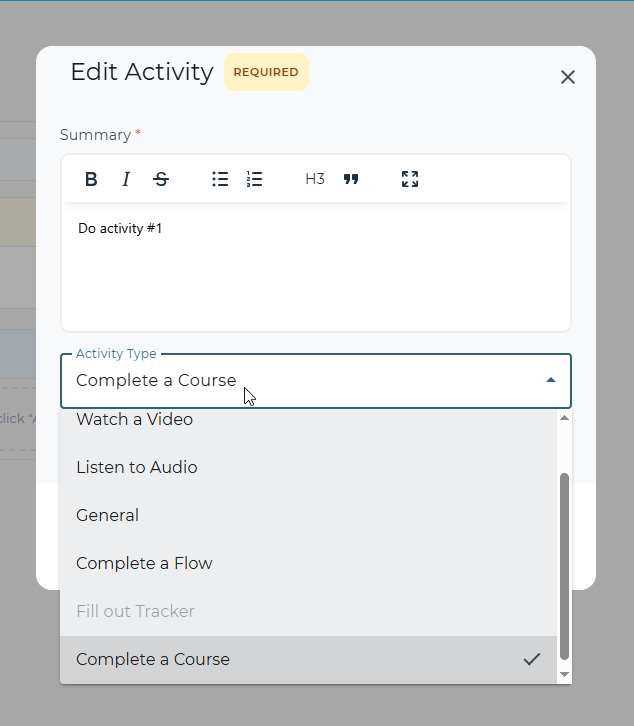
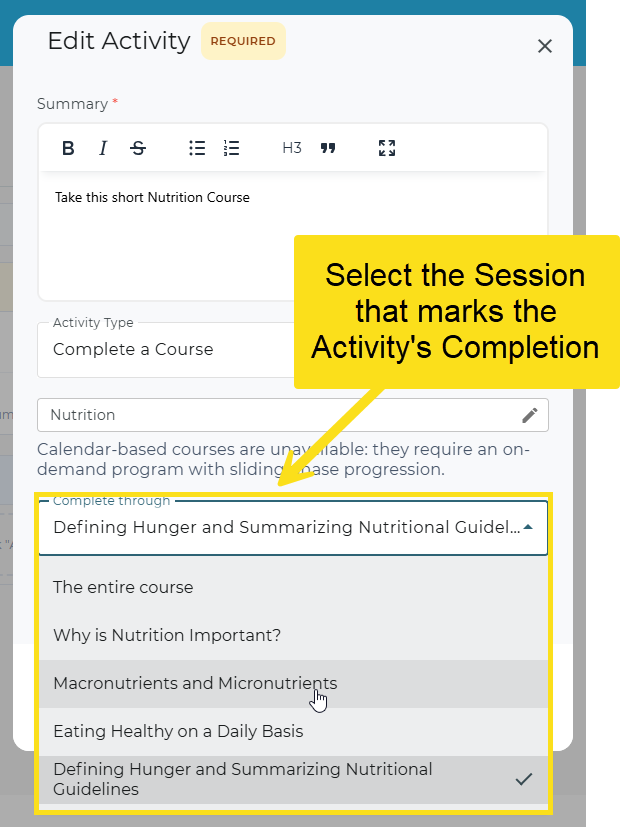
2. Choice in How Much of the Course is Required for Activity Completion
Once a course is chosen, admins can determine how much of the course, by session, needs to be completed to mark the activity complete.
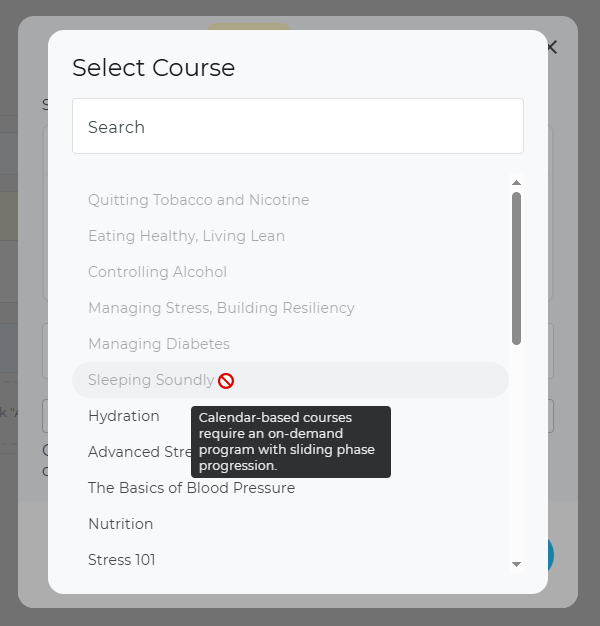
3. Guardrails at Setup and Publish
Calendar-based courses release on a fixed schedule, so they only work in on-demand programs with sliding phase progression. Courses that don't fit are greyed out in the picker with an explanatory tooltip, and publishing is blocked if one slips through anyway. Other publish-time checks (course not found, course disabled for the portal, no course selected) return a plain-language reason instead of failing silently.
4. What Members See
The activity shows as a tile with a real progress bar ("5 of 10 lessons, 50%"). Clicking it launches the course directly, and a "Back to your program" button on the course page returns members to where they left off. The activity marks itself complete the moment the course is finished, whether that happens inside the program or elsewhere in the portal, and credit is retroactive: a member who completed the course months before joining the program gets it credited right away.
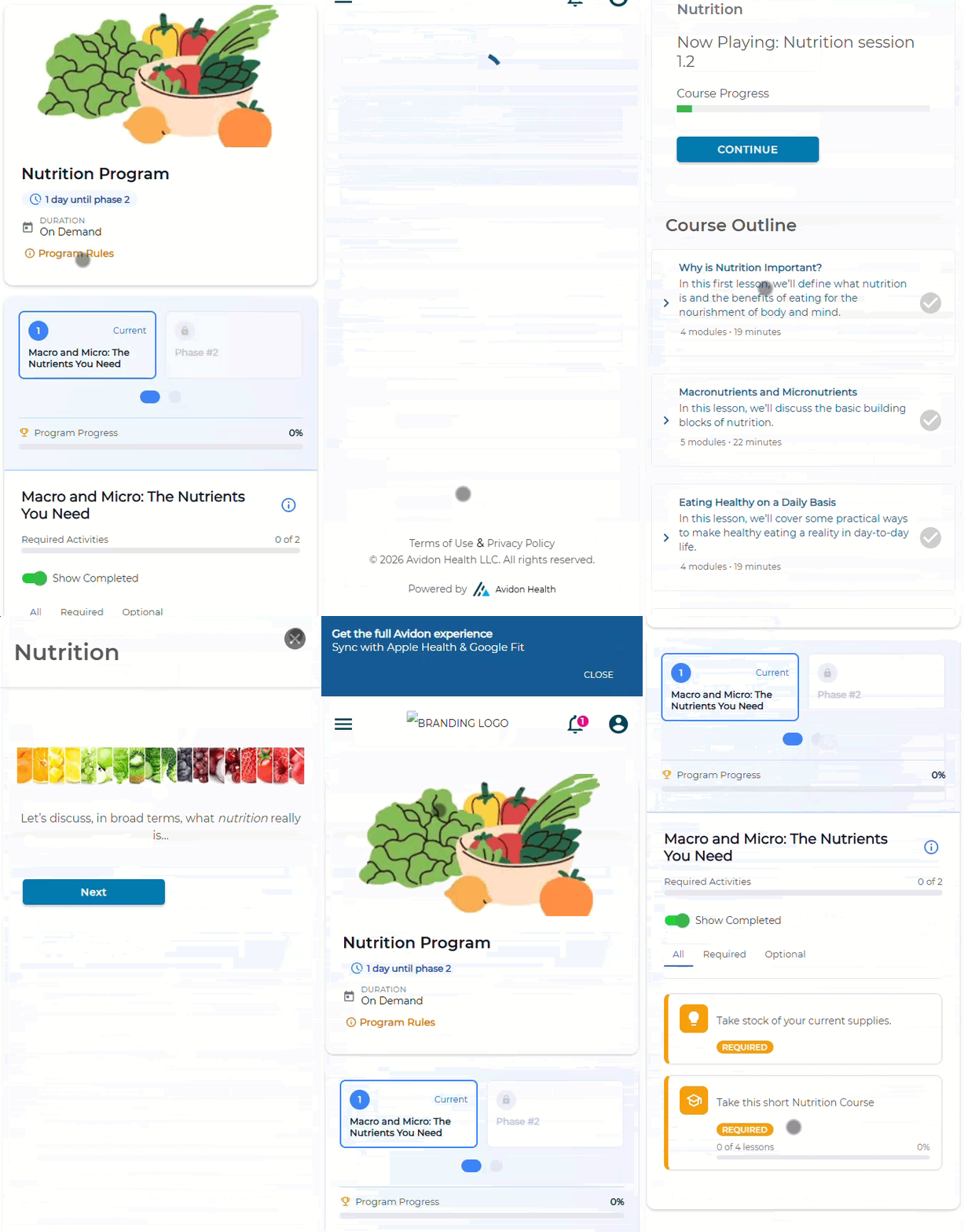
5. Where It Appears
The current member portal gets the full experience, including launch and return. The new member site shows the tile, icon, and progress bar, with automatic completion working the same way; the tile isn't clickable there yet since that site doesn't have a course player. The admin customer-service view shows icon, label, and progress so support can see where a member stands.
Why It Matters
No More Manual Tracking—Completion records itself, whether a member finishes the course from inside the program or from the catalog directly, so nobody has to chase down proof the work got done.
Retroactive Credit, Zero Cleanup—Members who already completed a course get credit the moment they join a program that includes it; nothing to backfill by hand.
One Fewer Workaround—Courses slot into a phase like any other activity, replacing "General" placeholder activities that relied on members remembering to act on their own.
Guardrails Built In—Incompatible courses are blocked before publishing with explanations so there's no confusion.
Visibility for Support—Customer Service Admins can see exactly where a member stands on a course activity without leaving the admin view, cutting down back-and-forth on status questions.
To Sum It Up...
Courses now behave like every other piece of program content without admin workarounds or manual member searching: they are inserted, tracked, credited, and completed like every other content-related activity.