- STAGE:
- In Development
- PROJECTED DONE:
Program Editor Updates: Faster Setup, Clearer Structure
If you've ever lost your place mid-configuration or scrolled past a detail you were looking for while configuring a program or a habit builder, this one is for you. We’re redesigning the Program editor to reduce scrolling, streamline activity configuration, and introduce new controls for how activities are displayed and completed across Programs, Challenges, and Habit Builders.
Continue reading for details or skip to the Why These Updates Matter section at the bottom if you're short on time.
Clearer, more organized Program Settings
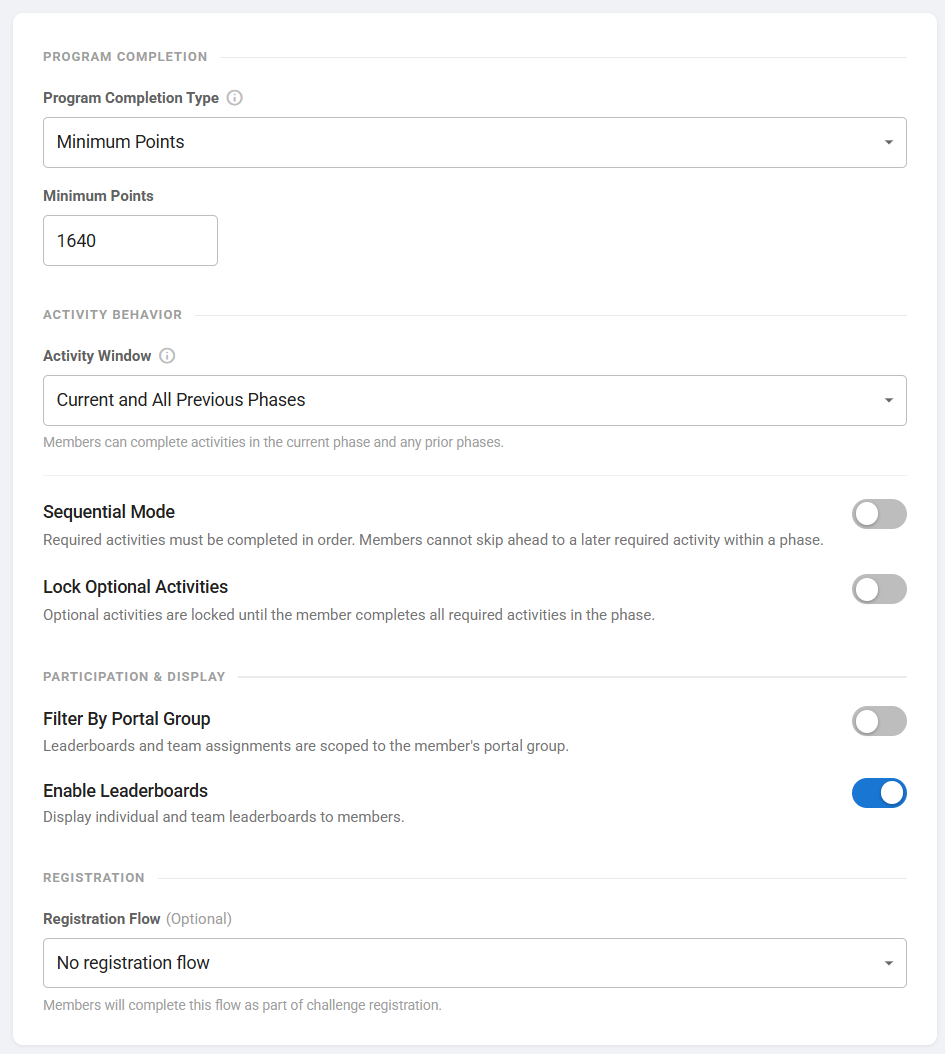
Program Settings are being restructured into four focused sections—Program Completion, Activity Behavior, Participation & Display, and Registration—so teams can quickly find and adjust key controls.
Within Activity Behavior, two new options provide greater control over how members progress:
Sequential Mode ensures required activities are completed in order within a phase; members can't skip ahead before they're ready
Lock Optional Activities prevents access to optional activities until required ones are finished; useful when required activities build foundational knowledge
We’re also simplifying terminology (e.g., Activity Window) and adding inline guidance so you spend less time hunting for answers and more time building.
Phase Configuration, Split for Clarity
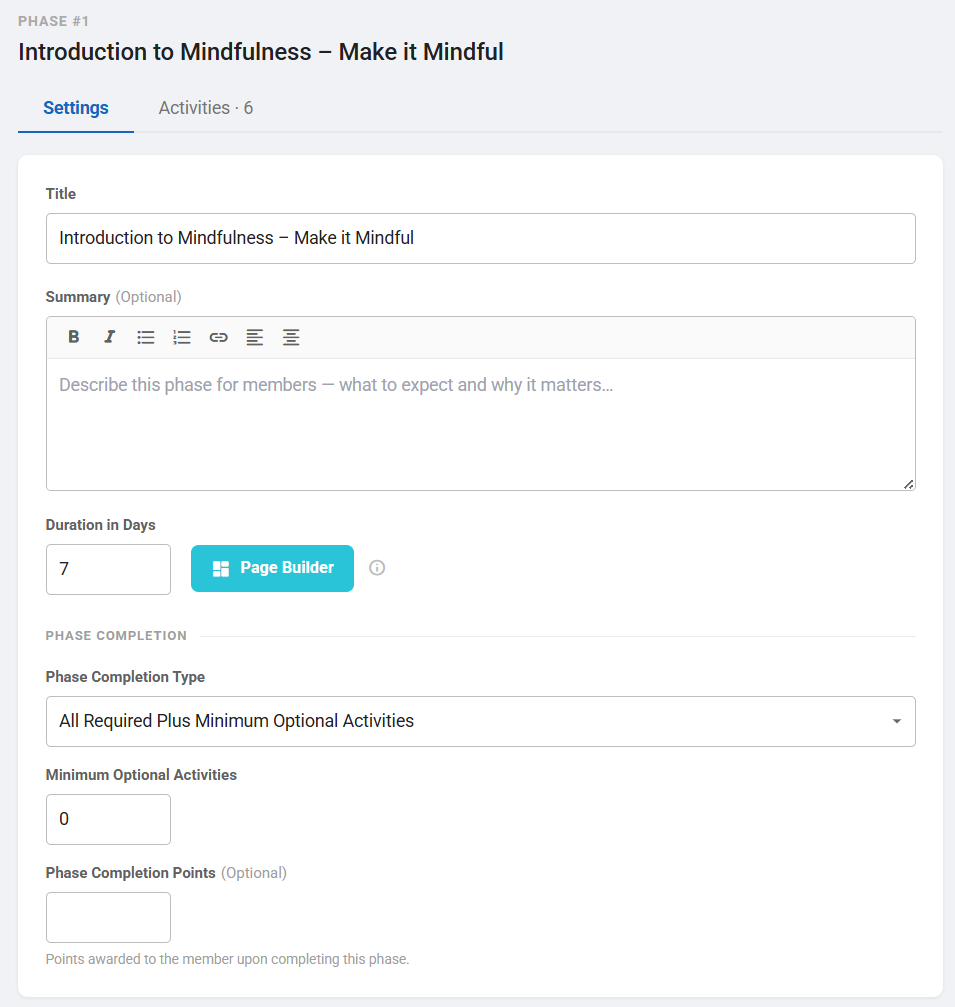
Phase configuration will be split into Settings and Activities tabs, making it easier to focus on one task at a time without having to scroll as much.
Phase Settings Tab
The Settings tab brings key configurations into a single, logical layout, including:
An optional Summary field for added context
A consolidated Phase Completion section with all related inputs grouped together (Minimum points/activities/optional activities)
The Page Builder button moved inline with the Duration in Days field to reduce the vertical footprint
Phase Activities Tab
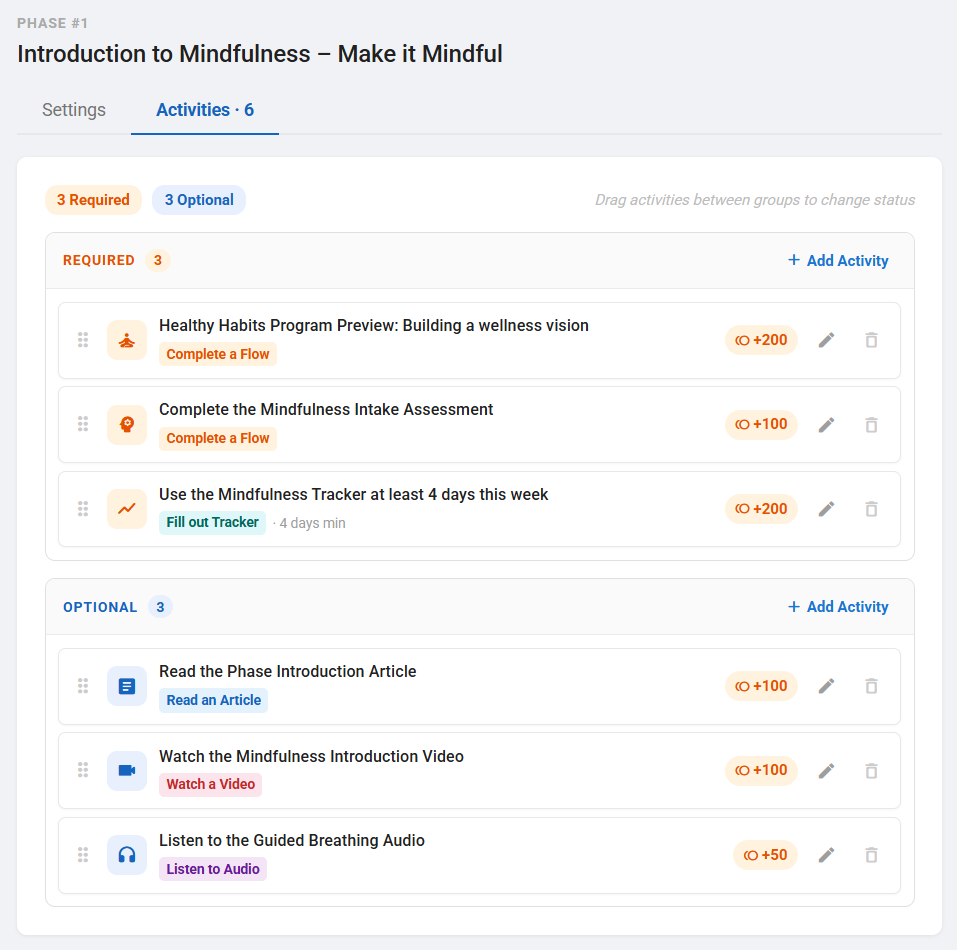
Activities move from a long scrolling form to a structured, card-based layout that mirrors the member experience, so what you're building looks a lot like what members will see.
Activities are clearly grouped into Required and Optional
Drag-and-drop makes it easy to reorder or change the activity type as you design
Inline warnings highlight configuration issues early (for example, having no required activities when phase completion type is "all required activities")
A Rebuilt Activity Edit Dialog for Better Focus
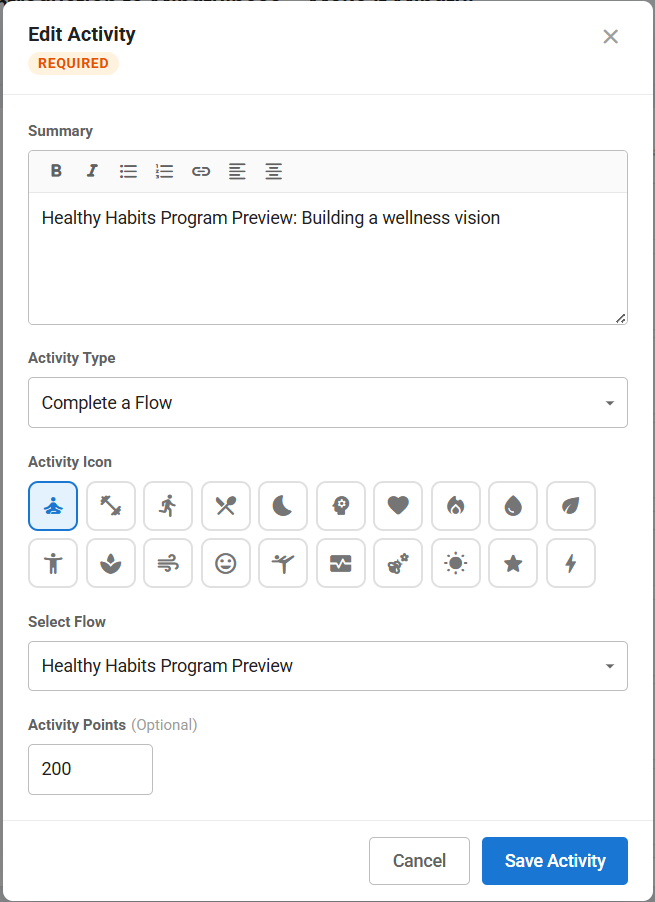
A redesigned activity edit dialog consolidates and focuses in on single activities while they're being designed and defined, with some expanded options:
Rich text input for better context in the Summary field
Resource selection for content-based activities (articles, videos, audio)
Icon picker for extra visual cues (this can be used for General and Flow Activity Types)
For tracker entries, you can decide what 'completion' means: streak, threshold, and threshold Streak, along with Minimum Days and Minimum Entries
Why These Updates Matter:
Admin simplicity, finally delivered—Program teams can configure, adjust, and launch without getting lost in a long-form scroll or hunting for the right setting. Less time in the editor means more time focused on their members.
Fewer configuration errors, fewer surprises—Inline warnings catch problems before a program goes live, so HR teams aren't troubleshooting after the fact.
Easier to hand off—A cleaner, more organized editor means it's not dependent on one person who knows where everything lives. That matters for small HR teams and consultants managing multiple clients.
Together, these changes make the Program editor easier to use for the people who are building and editing the member experience.