- STAGE:
- In Development
- PROJECTED DONE:
Tracker Reporting, Centralized
We're introducing a new report that shows how members are interacting with system and custom trackers. This new read-only report will be the place to see how your members are using trackers: what are they logging and how consistently.
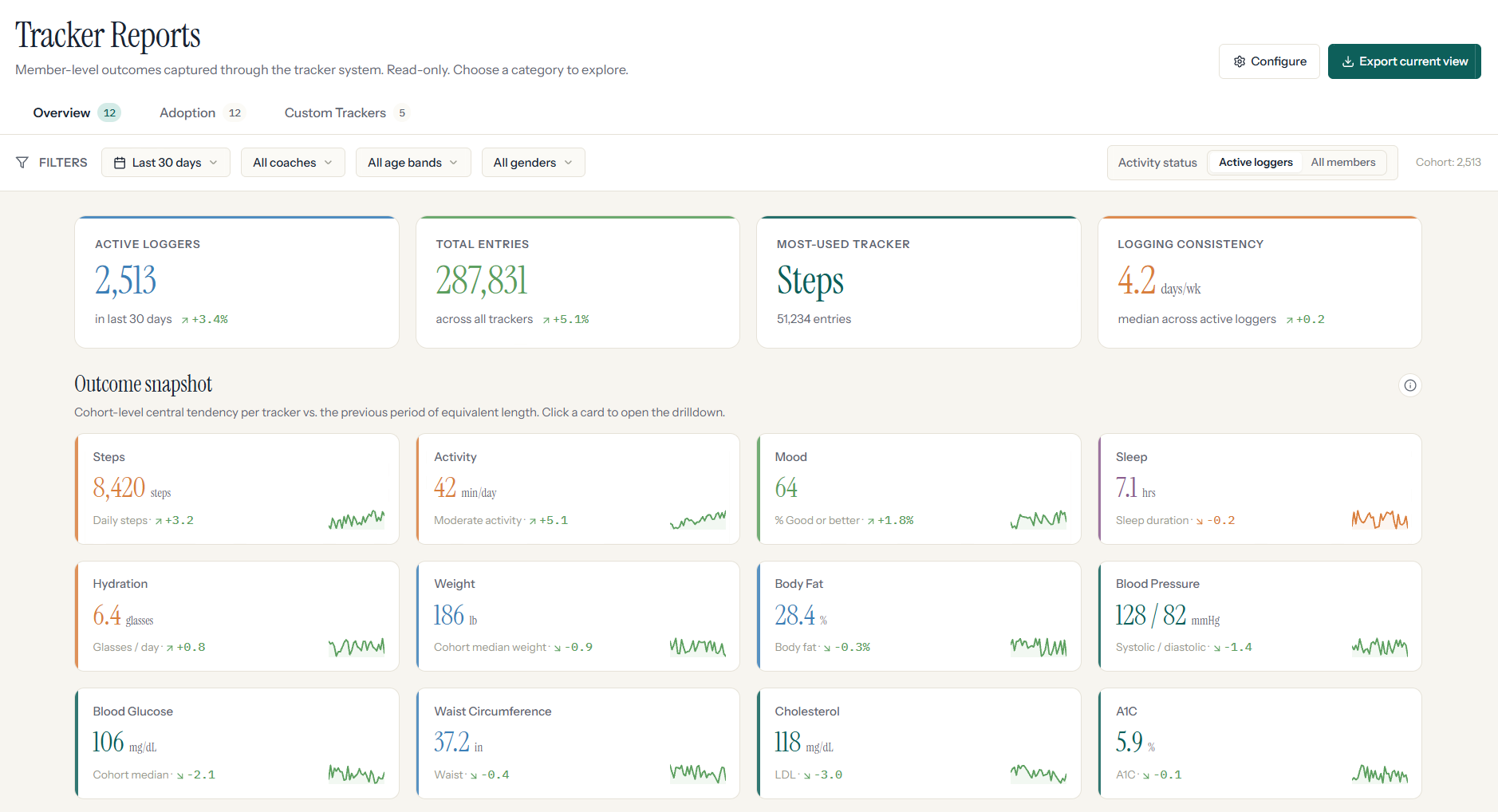
All Tracker Data in One Place
Tracker data is organized into a single destination with dedicated views for both standard and custom trackers, so teams can easily navigate between system-defined metrics and organization-specific data.
Surface-Level Trends and Member-Level Detail
Each tracker includes:
An Overview of key metrics like averages and trends; useful for a quick read on whether engagement is up or down
An Adoption view showing how actively trackers are being used; helpful for spotting which trackers members are actually returning to
Drill-down reporting for exploring member-level details when you need to go beyond the aggregate
Not Only System Trackers—Custom Trackers are Covered Too
The dashboard supports:
Built-in trackers with predefined schemas and consistent reporting
Custom trackers with flexible response types, allowing organizations to measure what matters most to them
Focused on Visibility, not Configuration
This experience is designed to surface insights, not manage them. All reporting is read-only, ensuring a clear separation between tracking member activity and analyzing outcomes.
Why This Matters
Credibility when it counts—HR Managers can show leadership exactly how members are engaging with wellness tools, with real data behind the claim that "the program is working."
Less digging, more deciding—Instead of pulling data from multiple places or asking someone to run a report, the answer is already there when you need it.
Custom trackers, finally visible—Organizations that built custom trackers to measure what matters to their population now have a reporting layer to match.
Designed for teams who don't have time to analyze—The at-a-glance views do the interpreting for you; drill down only when you want to.
This is the difference between having data and actually knowing what's happening with your members.